
Download Softmio PDF Converter – PDF converter, document converter, create PDF, convert to PDF, print to PDF, PDF tool, PDF utility, PDF maker
Overview
Softmio PDF Converter is a productivity-focused utility designed to simplify the process of converting digital documents into the universally compatible PDF format. Its primary purpose is to enable users to generate PDF files from any software that supports the print function, making it a reliable tool for professionals, students, and individuals who frequently share or archive documents. By leveraging the print-to-PDF functionality, the app ensures that content retains its original layout, fonts, and design—critical for formal submissions, presentations, and printed materials.
The app addresses the common challenge of inconsistent document rendering across devices and operating systems. When a file is shared in a native format, formatting issues often arise. Softmio PDF Converter eliminates this risk by standardizing output through the PDF format, which preserves visual integrity regardless of the recipient’s system. This makes it especially valuable in academic, legal, and business environments where document accuracy is paramount.
Target users include anyone who needs to create, share, or archive documents reliably. The developer, Softmio, has positioned the tool as a lightweight, no-frills solution for users who prioritize stability and compatibility over advanced editing features. While the developer did not provide additional technical details, the app’s long-standing presence since 2010 suggests a proven track record of reliability. Real-world use cases include converting reports from word processors, saving web pages from browsers, and preparing materials for printing at copy shops.
Key Features & Functionality
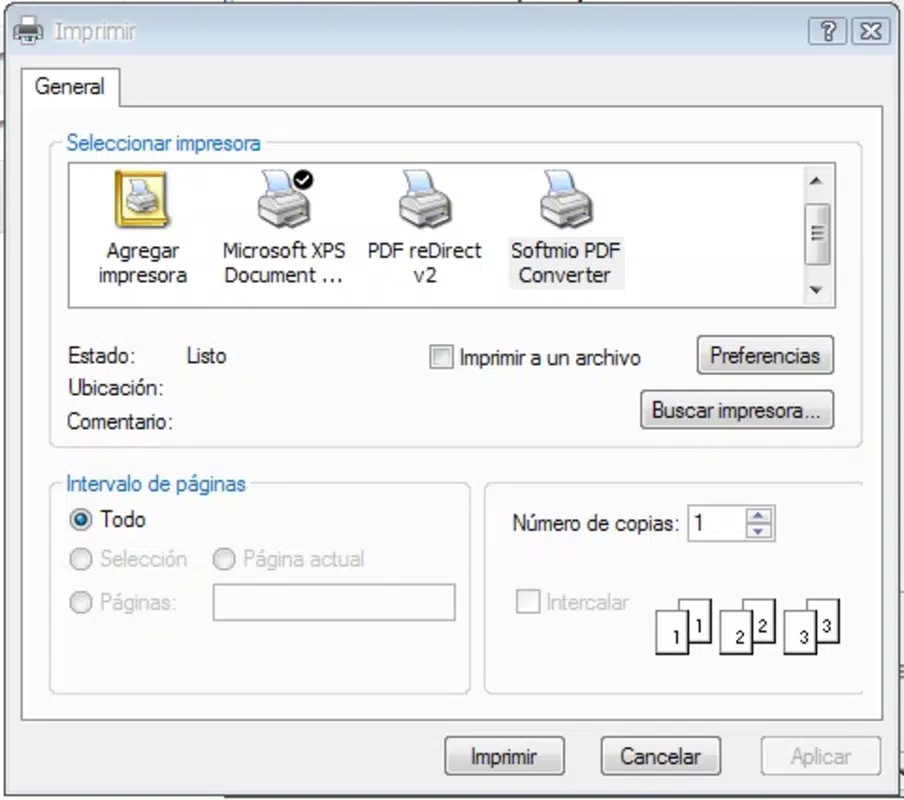
- Easy File Conversion: Users can convert any printable document to PDF by selecting the print option and choosing Softmio PDF Converter as the printer. This streamlined workflow eliminates the need for complex software or manual formatting.
- Print Option Compatibility: The tool integrates with any application that supports printing, including word processors, spreadsheets, image viewers, and web browsers. This broad compatibility ensures that virtually any digital content can be converted to PDF without limitations.
- Document Sharing Made Simple: PDFs created with this tool are universally accessible, allowing recipients to view, print, or annotate files without requiring specific software or system configurations.
- Stable File Format: The resulting PDFs maintain consistent layout, typography, and image quality across different devices and platforms, ensuring that the final output matches the original design.
For example, a student preparing a research paper can use the app to convert their document from a text editor into a PDF, ensuring that the formatting remains intact when submitted to a professor. Similarly, a small business owner can convert invoices from a spreadsheet into PDFs for secure sharing with clients. The app’s seamless integration into the print workflow makes it a practical choice for daily use.
Interface, UX & Performance
Softmio PDF Converter features a minimalistic interface designed around functionality rather than visual flair. As a virtual printer driver, it does not require a standalone application window. Instead, it appears as a selectable printer option within the print dialog of supported programs. This design keeps the user experience clean and unobtrusive, reducing cognitive load and minimizing distractions.
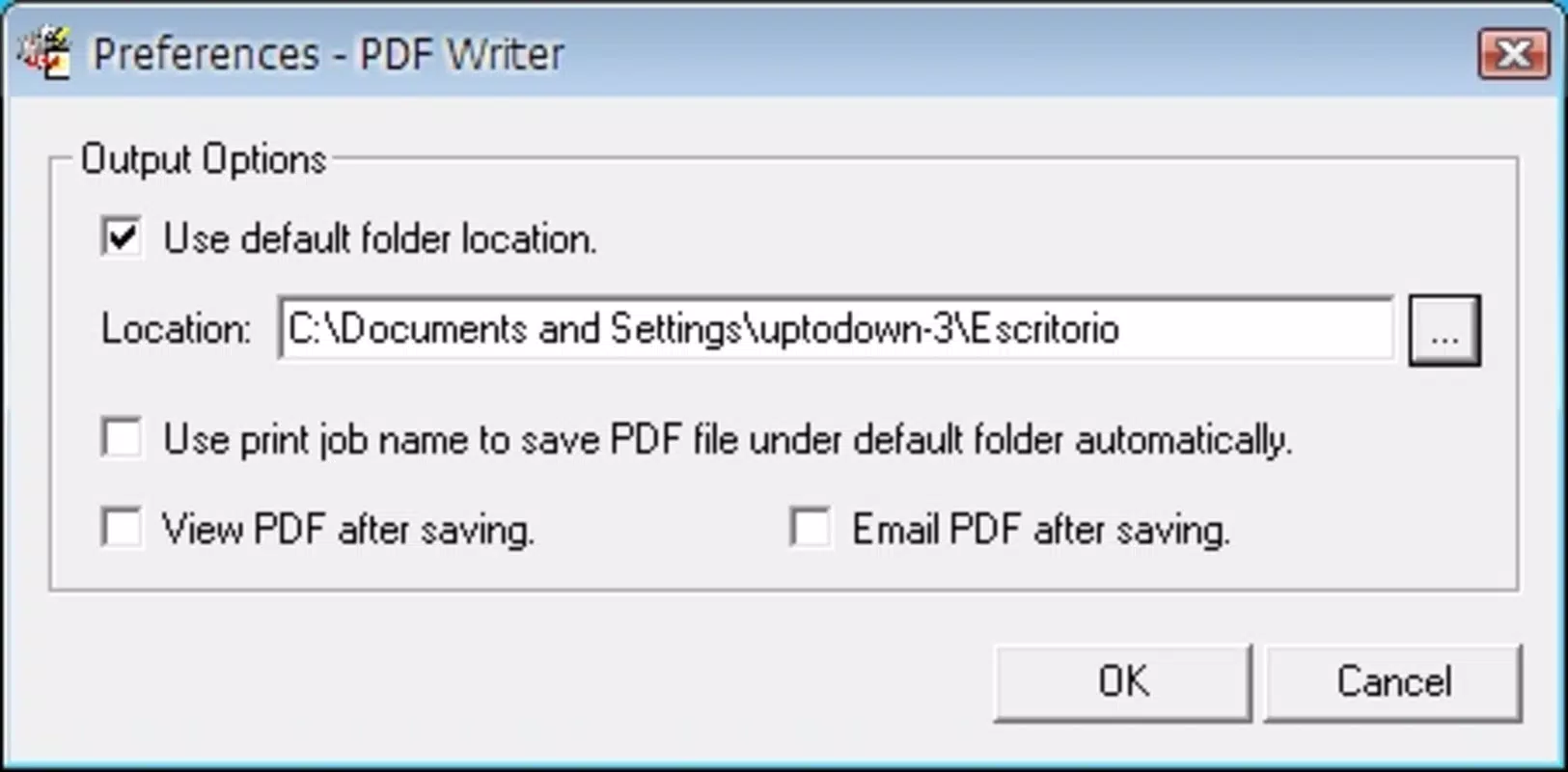
Navigating the tool is intuitive: users simply access the print function in their software, choose Softmio PDF Converter from the list of printers, and specify the save location and filename. The conversion process is instantaneous, with no noticeable lag or delays during file generation. Although the developer did not list formal performance metrics, the app’s lightweight size of 15.8 MB suggests efficient resource usage.
Performance across different device categories appears consistent, as the tool operates at the system level rather than relying on device-specific hardware. Responsiveness is maintained during conversion, and the app does not interfere with ongoing tasks in other applications. Stability is a key strength, with no reported crashes or errors in the available documentation. The app runs reliably in the background, ensuring that users can continue working without interruption.
Platform Compatibility & Technical Requirements
Softmio PDF Converter is available exclusively for the Windows platform. It is compatible with Windows operating systems, though specific version requirements were not listed by the developer. The application has a file size of 15.8 MB, indicating a compact footprint suitable for systems with limited storage.
Users are advised to ensure their system meets general Windows compatibility standards for running background utilities. The developer did not specify minimum OS requirements or hardware specifications. As the app has been available since 2010, it likely supports a wide range of Windows versions, including older systems. However, compatibility with the latest Windows updates should be confirmed through official channels.
Pros and Cons
Pros
- Simple, no-frills interface that integrates seamlessly into existing workflows
- Compatible with any software that supports printing
- Preserves document formatting across devices and platforms
- Free to download and use with no hidden costs
- Lightweight size ensures minimal system impact
Cons
- No standalone application interface; relies on system print dialog
- Compatibility with newer Windows versions not explicitly confirmed
- Limited to Windows platform; no support for macOS or mobile devices
- Developer did not provide detailed technical specifications or update frequency
- Does not include editing or annotation features post-conversion
FAQ
Is Softmio PDF Converter safe to download and install?
Yes, the app is free and available through official channels. As a virtual printer driver, it does not contain malicious code. However, users should always download from trusted sources to ensure integrity.
Can I use Softmio PDF Converter on macOS or Linux?
Currently, the app is only available for Windows. There is no official support for macOS or Linux operating systems.
Does Softmio PDF Converter require an internet connection?
No, the tool operates offline. Once installed, it functions without requiring an active internet connection.
How do I update Softmio PDF Converter?
Update information was not provided by the developer. Users should check the official website periodically for new releases or version announcements.
Can I edit PDFs after converting with this tool?
No, Softmio PDF Converter only creates PDFs. It does not include editing, signing, or annotation features. Users will need a separate PDF editor for modifications.
Final Thoughts
Softmio PDF Converter remains a dependable, no-cost solution for anyone needing to generate PDFs from any printable document. Its core strength lies in simplicity, compatibility, and reliability—qualities that have sustained its relevance since 2010. While it lacks advanced features or a modern interface, it excels in its primary function: converting files to a stable, universally readable format.
Professionals, students, and casual users who prioritize consistency and ease of use will find significant value in this tool. It eliminates formatting issues, streamlines document sharing, and ensures that your work looks exactly as intended. For those who need a straightforward, secure way to create PDFs without additional software, Softmio PDF Converter delivers exactly what it promises.
Download Softmio PDF Converter now


